 资讯新闻
资讯新闻 花谢了,它会让你看到唱歌的雪;雪停了,它会让你看到透明的水;冰融化了,它会让你看到微笑的云;每一种美丽,都是它在温柔地和你说,别担心,它们都在我怀里

唠叨一会
让小程序在访问某个文章需要阅读密码;这是群里大佬提供的建议,星宿UI小程序可以访问文章选择激励视频阅读或者需要阅读密码,来增加与用户的互动;wordpress有自带的接口实现起来不难,难得应该是交互逻辑;案例演示
接口说明
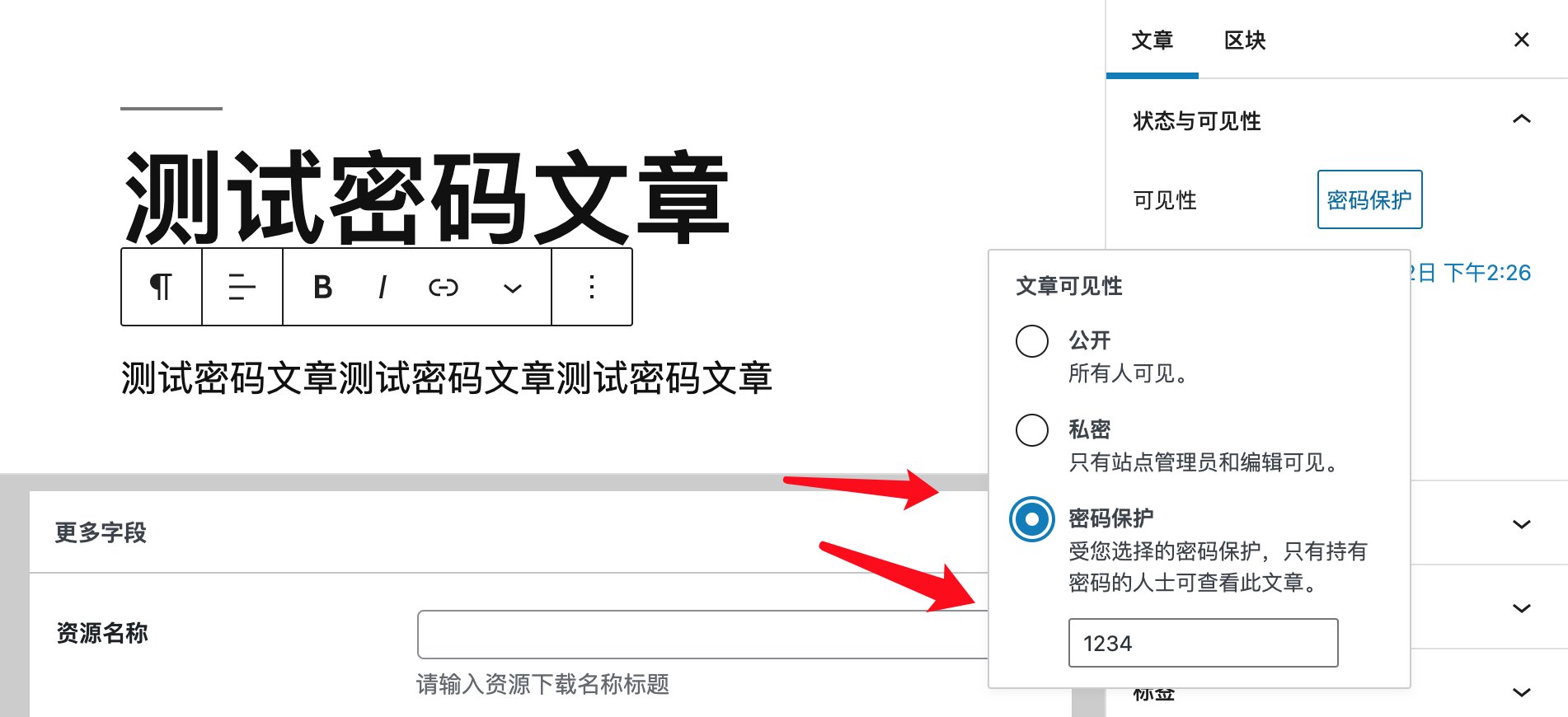
我们在worpdress 后台新建一个文章,设置该文章需要密码阅读
随后我们看接口,可以得知当我们设置密码阅读的是时候是可以使用protected来判断,此外和普通文章没有其他区别
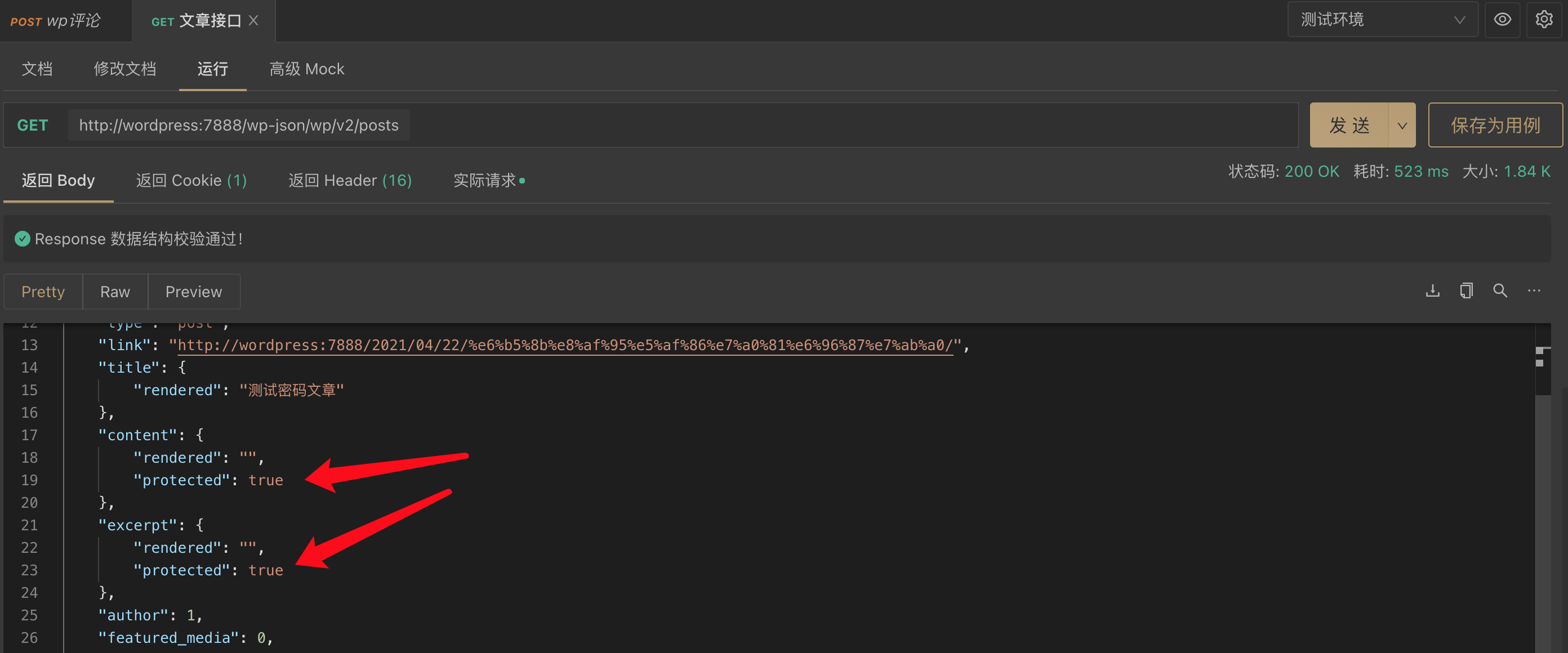
那么我们访问该文章的时候在请求添加上参数验证密码
http://wordpress:7888/wp-json/wp/v2/posts/150?password=1234
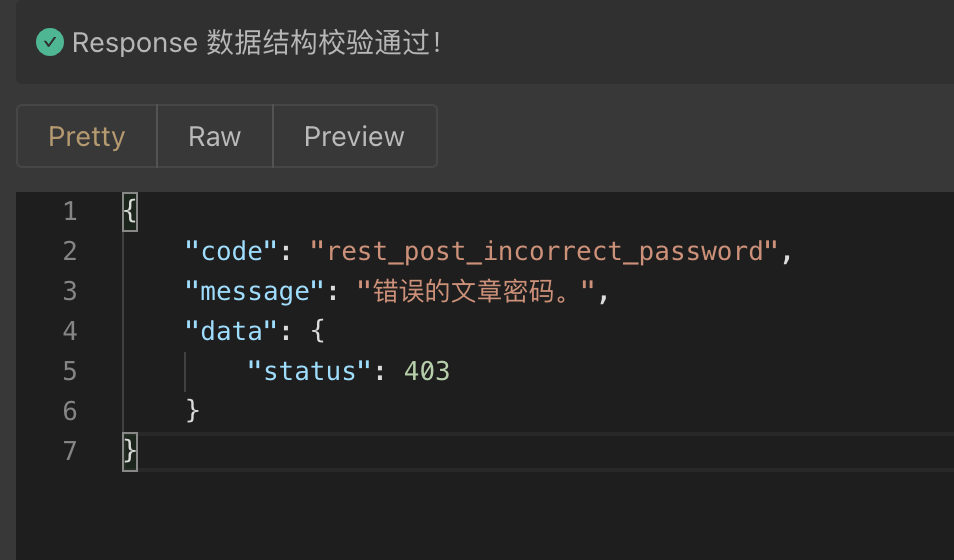
如果密码正确则显示文章内容,如果密码错误则出现403返回
交互逻辑
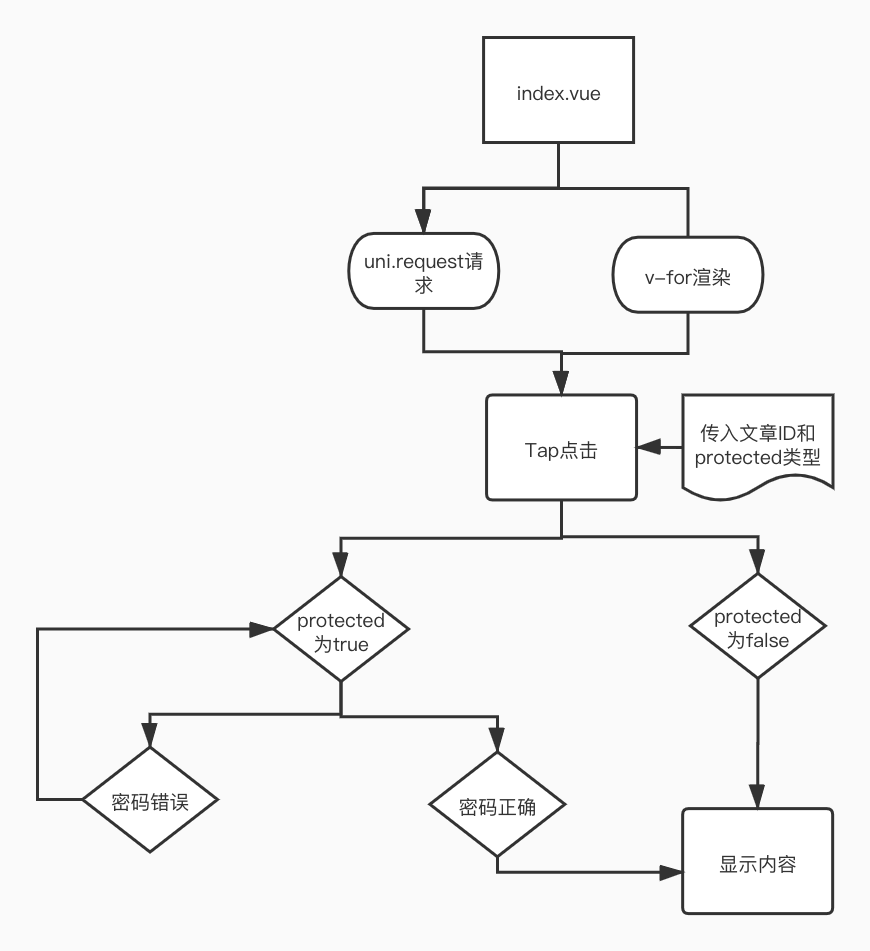
我当时内心:因为我们在点击文章列表进入文章详情的时候没有正确的文章内容,若我们在文章详情界面让用户输入访问密码则需要在发起一次请求验证密码(总发起2次);或者首页用户点击的时候出现那弹窗或一个验证密码的页面,当用户输入密码后请求验证(只需要验证1次);最后逻辑如下
注意
1.测试时请将请求中的域名换成自己的
2.该版本为uni-app框架需要hbuilder x编译,
3.请在manifest.json文件中将微信小程序运行配置添加您的小程序id
案例
首页
<template>
<view class="content">
<view class="text-area" v-for="(item,index) in newList" @tap="tapPost(item.id,item.content.protected)">
文章:{{item.title.rendered}}
</view>
</view>
</template>
<script>
export default {
data() {
return {
newList: []
}
},
onLoad() {
// 小程序打开触发函数
this.getList();
},
methods: {
// 发起请求获取文章地址
getList(){
uni.request({
url: 'http://wordpress:7888/wp-json/wp/v2/posts/', //仅为示例,并非真实接口地址。
success: (res) => {
console.log(res.data);
this.newList = res.data;
}
});
},
// 列表点击传递文章id和protected类型
tapPost(e,w){
console.log(e,w)
uni.redirectTo({
url: '../data/data?id=' + e + '&protected=' + w
});
}
}
}
</script>
<style>
.text-area {
background-color: #DD524D;
height: 140upx;
margin: 30upx;
border-radius: 20upx;
line-height: 140upx;
padding-left: 30upx;
}
</style>
详情页
<template>
<view>
<view class="" v-if="isShow == true">
<view class="uni-form-item uni-column">
<view class="title">请输入密码阅读文章</view>
<input class="uni-input" password type="text" placeholder="这是一个密码输入框" v-model="posWord" />
<button type="default" @tap="inputData()">确定</button>
</view>
</view>
<view class="" v-else>
文章标题:{{ posDate.title.rendered }}
</view>
</view>
</template>
<script>
export default {
data() {
return {
postId: '',
posDate: [],
isShow: false,
posWord:''
}
},
onLoad(option) {
// 小程序打开储存文章ID和protected类型,执行getList函数
this.postId = option.id;
this.protected = option.protected;
this.getList();
},
methods: {
// 判断protected为true需要密码,为false直接阅读文章
getList() {
if(this.protected == 'true'){
this.isShow = true;
}else{
this.isShow = false;
uni.request({
url: 'http://wordpress:7888/wp-json/wp/v2/posts/' + this.postId,
success: (res) => {
this.posDate = res.data;
}
})
}
},
// 点击后获取输入框的密码发起请求,密码正确显示文章标题,错误则提示
inputData(){
uni.request({
url: 'http://wordpress:7888/wp-json/wp/v2/posts/' + this.postId + '?password=' + this.posWord,
success: (res) => {
console.log(res.statusCode)
if(res.statusCode == 200){
this.isShow = false;
this.posDate = res.data;
console.log(this.posDate)
}else {
uni.showToast({
title: '密码错误',
icon:'none',
duration: 2000
});
}
}
})
}
}
}
</script>
<style>
.uni-input{
border: #000000 1px solid;
}
</style>
案例下载
链接: https://pan.baidu.com/s/1r44viOWUVHfm3NWd6NEPBA 提取码: k2b8